HMI Touchscreen Training: ESL Operators
By New Heights Languages ·
Upgrading plant machinery to HMI touchscreens? Learn practical strategies to train non-native English operators and protect throughput.
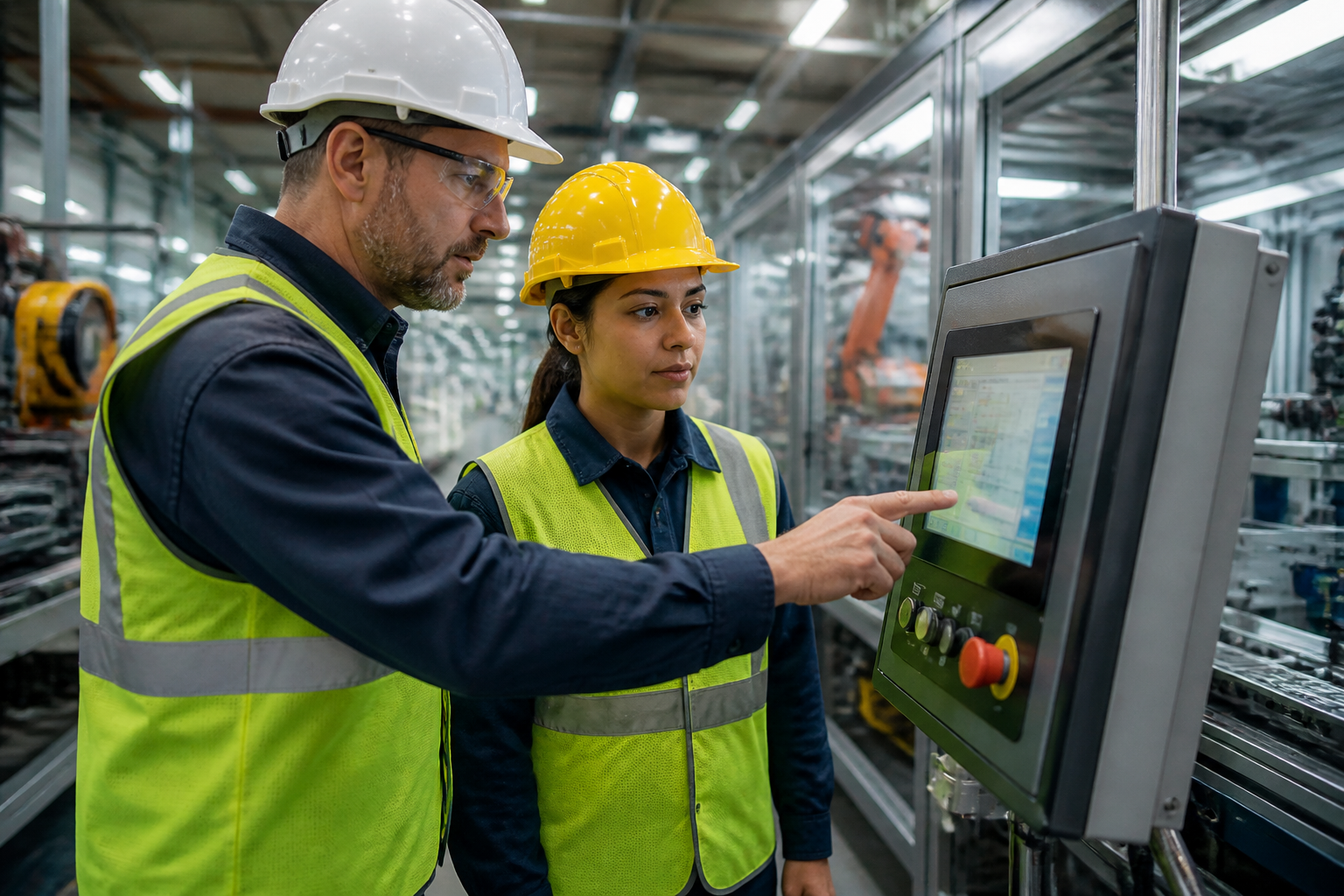
When manufacturing plants upgrade legacy machinery from mechanical push buttons and dial switches to modern human-machine interface (HMI) touchscreens, leadership expects an immediate boost in efficiency. However, many facilities experience an initial spike in micro-stoppages and unexpected downtime. The culprit is rarely the hardware itself—it is the gap between complex digital screen text and the language skills of the workforce. Implementing targeted hmi touchscreen training esl operators can navigate comfortably is essential for protecting your capital investment and maintaining production flow.
Legacy control panels relied heavily on physical location, distinct colors, and tactile feedback. A green button started the line; a red mushroom switch stopped it. Touchscreen HMIs replace those permanent physical controls with nested software menus, multi-step sub-screens, text-heavy error messages, and digital confirmation prompts. For limited-English proficient (LEP) machine operators, navigating these abstract interfaces adds cognitive load and introduces operational risk.
The Unexpected Downtime Spike After HMI Upgrades
Transitioning to touchscreens changes how machine operators process information. On older equipment, an operator could run a line by visual memory and touch. On a touchscreen, they must read English text prompts to clear faults, adjust parameters, change recipes, or acknowledge system warnings.
When non-native English workers encounter unfamiliar English terminology on a touchscreen, three failure patterns typically emerge on the plant floor:
- Trial-and-Error Button Pressing: Operators tap digital icons randomly to clear alarm screens, occasionally overriding safety interlocks or corrupting product recipes.
- Hesitation and Low Throughput: Operators slow down machine speeds or wait prolonged periods for a bilingual co-worker or technician to resolve basic display prompts.
- Unreported Faults: Alarm banners displaying complex technical phrasing (e.g., "VFD Overcurrent Fault - Axis 2") are ignored until the equipment experiences a hard shutoff.
Auditing Interface UI for Linguistic Clarity
Before launching your training program, evaluate the physical software interface. Engineering teams often design HMI screens with technical jargon that confuses even native English speakers. When non-native English operators are expected to use these systems, visual clarity becomes non-negotiable.
Standardize Visual Navigation
Do not rely exclusively on English text to convey machine status. Ensure every primary control button pairs a clear English word with an industry-standard ISO visual symbol. For instance, pair the text "Jog Forward" with a clear directional arrow icon.
Implement Multi-Language System Toggles Where Feasible
Modern PLC and HMI platforms (such as Rockwell Automation, Siemens, or Schneider Electric) support multi-language toggles. If your primary shop-floor demographic speaks Spanish, configuring a dual-language toggle on the main screen allows workers to verify complex error messages in their native language while building familiarity with English terms.
Delivering Floor-First HMI Touchscreen Training for ESL Operators
Classroom presentations and lengthy user manuals are ineffective for teaching hands-on machine operation. Successful hmi touchscreen training esl operators retain requires direct, tactile experience on the production floor combined with practical language reinforcement.
Use Visual Quick-Reference Cards
Create laminated, high-contrast reference cards attached directly to the machine frame near the HMI panel. These cards should feature actual screen captures of the digital interface paired with brief operational callouts. Highlight critical functional screens, including:
- Main Run/Auto Screen navigation
- Recipe Selection and Changeover menus
- Manual Jogging controls
- Common Alarm Reset screens
Conduct Micro-Trainings on Active Equipment
Break training into 10-to-15-minute floor sessions focused on single operational tasks. Instead of trying to teach the entire software manual at once, dedicate one session strictly to "Clearing Web Jam Alarms" and another to "Selecting Product Recipes." This focused approach reduces cognitive fatigue for non-native English employees.
Mastering Alarm Codes and Error Resolution
The most critical aspect of digital control panel operation is alarm response. When a line stops, every second counts. Providing robust hmi touchscreen training esl operators depend on means teaching workers how to translate onscreen text into immediate physical action.
Teach High-Frequency Technical Vocabulary
Identify the top 15 text strings that appear on your HMI screens during normal operations. Explicitly teach the vocabulary associated with these screens. Focus on actionable operational English phrases such as:
- "E-Stop Engaged"
- "Guard Door Open"
- "Low Material Level"
- "Temperature Exceeded"
- "Acknowledge Reset"
Connect Screen Messages to Physical Machine Parts
Ensure operators understand the direct relationship between the software alert and the physical machine component. If the screen reads "Photoeye Blocked - Infeed Conveyor," walk the operator to the physical photoeye on the conveyor line so they associate the screen text with the exact hardware sensor.
Verifying Operational Mastery Beyond Written SOPs
Traditional testing methods—like multiple-choice written quizzes—do not measure an operator's ability to run a machine safely. A worker with limited written English might fail a written test despite being fully capable of operating the touchscreen interface flawlessly.
Implement Demonstration-Based Audits
Evaluate worker competency using practical "teach-back" demonstrations. Have plant supervisors or leads ask the employee to complete specific sequences on the touchscreen screen without intervention:
1. "Show me how to load Recipe B."
2. "Show me how to clear a low-pressure alarm."
3. "Show me where to monitor line speed."
When the operator demonstrates the correct sequence on the touchscreen and verbally explains the action using basic key vocabulary, mastery is confirmed.
Leverage Bilingual Floor Leads as Evaluators
Train your bilingual shift leaders to conduct these practical verifications. They can bridge communication gaps instantly, ensuring operators understand not just which digital button to press, but why they are pressing it.
Bridge the Digital Gap on Your Factory Floor
Upgrading your facility's machinery to digital HMIs should increase output, not cause floor confusion. By aligning your digital interfaces with targeted visual tools and specialized workplace language coaching, you empower your limited-English workforce to operate advanced machinery safely and efficiently.
New Heights Languages delivers customized, onsite language training programs engineered specifically for manufacturing environments. We help industrial employers bridge communication gaps, upskill machine operators, and protect throughput.
[Contact New Heights Languages today to book a free consultation](/contact) and discover how we can tailor a language program for your production floor.
<!-- featured image alt: A manufacturing supervisor showing a Spanish-speaking operator how to use a touchscreen HMI panel on a modern production line. -->